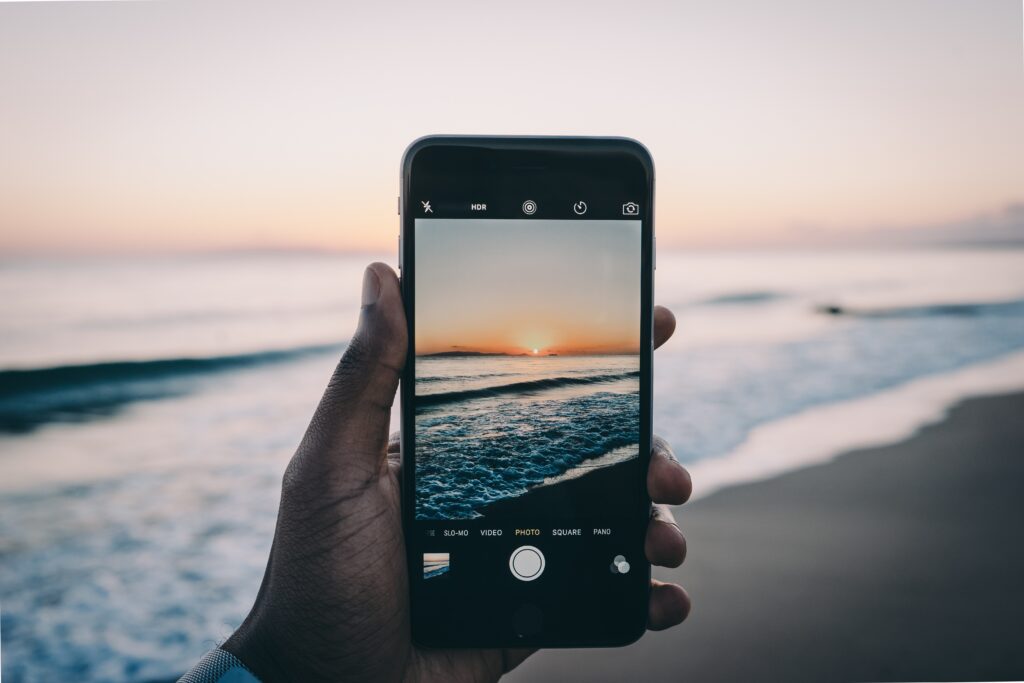
It’s holiday season, and for most travellers, phones, laptops and tablets are as essential as passports and boarding passes. But travelling also means leaving behind trusted networks and routines, increasing the chances that a device could be lost, stolen or exposed to an unfamiliar connection.
EU Perspectives asked cybersecurity experts what travellers should and shouldn’t do to remain safe when abroad.
What should holidaymakers bear in mind when travelling with their devices?
Srinivas Chippagiri, Senior Member of Technical Staff at Salesforce: Two things change the moment you travel: you lose your trusted network, and you dramatically raise the odds of the device being lost or stolen. So the mindset shift is to treat every device as if it could be taken from you at any moment, and every network you join as hostile until proven otherwise. Most travel security failures are not exotic hacks. They are a lost phone with no lock screen, a laptop left in a hotel room, or someone joining a fake airport WiFi network and typing a password into it. Plan for the boring failures first, because those are the ones that actually happen.
Chris Brooks, co-founder of Crypto Asset Recovery: A lot of the cases I work on start with a trip abroad like someone loses their phone, or gets it searched at a border, and suddenly their entire digital life is exposed.
Eddy Abou-Nehme, Owner and Director of Operations at RevNet: Your phone, tablet, and laptop can contain far more sensitive information than you realize, from saved passwords and banking apps to work emails and personal documents. When travelling, devices are more likely to be lost, stolen, or connected to unfamiliar networks, so you should treat them with the same care you would your passport or other valuable items.
Kevin Walker, founder of Black Swan Cyber Security Solutions: My biggest piece of advice for holidaymakers is not to become paranoid about technology just because you’re travelling. You don’t need to spend two weeks treating every hotel WiFi network as though it’s being run by an international crime syndicate. But a few sensible precautions before you leave can make an enormous difference.
What steps should travellers take before going abroad?
Chris Brooks, co-founder of Crypto Asset Recovery: Here’s what I’d actually tell a friend before they fly: strip your device down before you go. If you hold any crypto, get the wallet apps and seed backups off your phone entirely.
Kevin Walker, founder of Black Swan Cyber Security Solutions: Do the boring stuff before you go. Install outstanding updates on your phone, tablet and laptop. Make sure important photographs and documents are backed up. Turn on multi-factor authentication for important accounts and check that you actually know how to recover those accounts if your phone is lost or stolen. That’s the bit people often forget. MFA is excellent until the phone receiving the authentication request is at the bottom of the Mediterranean!
I would also enable the device-finding and remote-locking features provided by Apple, Google or Microsoft before travelling. If a device disappears, you want to know that those features work before you need them, not while you’re standing at a hotel reception trying to remember a password.
Arqam Zafar, Marketing Director at AstrillVPN: The first thing holiday-makers should do before they even leave their house for the trip is to back up their photos and documents before travelling. Having the peace of mind that everything is newly backed up is worth the extra preparation and time. Before leaving, check what your phone plan covers in terms of using data in a different country, so you know whether to buy an additional plan or travel eSIM.
Lawrie Jones, travel expert and journalist, founder of Fly Above Fear: Always write down details of what you have, including serial numbers! Installing remote wiping software is important too and can stop you from losing a fortune if your banking apps are hacked. Many of us walk around with phones, laptops, tablets and headphones that can cost thousands. Insurance is vital to cover these and it’s not likely to be covered on your standard travel insurance policy, so you’ll need to add extra cover.
Srinivas Chippagiri, Senior Member of Technical Staff at Salesforce: This is where most of the protection actually comes from, before you leave home: Update everything. Phone, laptop, and apps fully patched. Most real-world compromises exploit known bugs that an update would have closed.
Turn on full-disk encryption and confirm it is on. It is default on modern iPhones and Android, and it is BitLocker on Windows and FileVault on Mac. Encryption is what makes a lost device a lost object rather than a data breach.
Set a strong lock: a six-plus digit PIN or a passphrase, not a four-digit code or a swipe pattern, with biometrics on top for convenience.
Turn on “find my device” and remote wipe, and confirm you can actually reach it from another device.
Know your data laws. At some borders, officials can ask to inspect or unlock devices. Decide in advance what you are comfortable carrying across a border, and consider signing out of or removing especially sensitive material beforehand.
Eddy Abou-Nehme, Owner and Director of Operations at RevNet: Update your operating system and apps before leaving, back up anything important, and check that device tracking and remote-wipe features are enabled. Travellers should also confirm their mobile plan will work at their destination and make sure they can still access important accounts if their usual two-factor authentication method relies on their local phone number.
What should they bring?
Natasha Inglis, Client Experience Director at Good Business Travel: When going abroad, it’s important to plan ahead with your tech. Bringing the right adapters and the right charging cables is more important than you might think. Different countries have different voltages, and with the wrong adapters or cables these could end up damaging your devices. It’s also wise to always carry a portable battery or powerbank with you, as delayed flights, missed connections, or any other unplanned travel changes could cause your devices to lose battery unexpectedly.
Srinivas Chippagiri, Senior Member of Technical Staff at Salesforce: Bring less. The single best control is to travel with the minimum: fewer devices, and as little sensitive data on them as possible. Beyond that:
- A charged power bank and your own charging cable and wall plug.
- A privacy screen if you will work in airports or on planes, since shoulder-surfing is a real and low-tech threat.
- Your hardware security key or the authenticator app you already use, so you are not dependent on receiving a text-message code while roaming.
- Optionally, a cheap secondary “travel” phone for regions or situations where you would rather not carry your primary device with all your accounts on it.
What extra security measures should travellers take?
Natasha Inglis, Client Experience Director at Good Business Travel: Travellers should be careful around the public WiFi networks they connect to while abroad, even at the airport. The “evil twin” WiFi technique is a known, repeatable attack that’s now been used on commercial flights and in airports, and August is exactly when it’s most dangerous. An evil twin attack doesn’t need a sophisticated hacker, it just needs a name that looks familiar. Fake WiFi will almost always copy the exact name of the official network. If you see two networks with an identical or near-identical name, don’t connect to either until you can verify with staff which one is real. Also make sure to forget the network once you’ve finished using it. Disconnecting isn’t the same as forgetting as your device will auto-reconnect the next time it’s in range, even if that network was a fake one to begin with. Travellers passing through the same airport repeatedly are actually more at risk over time, because their device is building up a longer list of trusted names for scammers to imitate.
Srinivas Chippagiri, Senior Member of Technical Staff at Salesforce: Turn off WiFi and Bluetooth auto-connect so your device is not silently joining networks or pairing on its own. Do not click travel-themed links. Fake “confirm your booking,” “your flight is delayed,” or “customs fee due” messages spike around travel. Go to the airline or hotel app or site directly rather than tapping a link.
Lock your device every single time you set it down, and never leave it unattended in a public space or visible in a hotel room. Use the room safe, and understand it is a deterrent, not a vault.
If a device is lost or stolen, act immediately. Remote-lock or wipe it, and change the passwords for any accounts that were signed in on it, starting with your email, because email is the reset path to everything else.
Chris Brooks, co-founder of Crypto Asset Recovery: Don’t plug into airport USB ports; juice jacking is real, and a cheap charging brick eliminates that risk completely. Hotel WiFi is a shared network you didn’t vet, so don’t touch anything financial on it. And honestly, the simplest move is to travel with a phone that only holds what you truly need for the trip. Less on the device means less to lose.
Arqam Zafar, Marketing Director at AstrillVPN: All phones should be secured with a PIN or biometric lock. Enable two-factor authentication on all of your apps that include important information, like online banking apps. If your device has a tracking feature, make sure it is turned on before you leave.
Kevin Walker, founder of Black Swan Cyber Security Solutions: The old advice was effectively “never use public WiFi.” That’s too simplistic now. Modern websites and apps generally use encrypted connections, so connecting to an airport or hotel network doesn’t automatically mean somebody can read everything you’re doing. But I would still be cautious, particularly with unfamiliar networks. A reputable VPN can add another layer of protection, but it isn’t a magic invisibility cloak. A VPN won’t protect you from entering your password into a convincing phishing site.
Also, think about what you’re posting while you’re away. You don’t need to disappear completely, but think about what a photograph actually tells somebody. A cocktail beside the pool might confirm you’re abroad, a boarding pass can contain information you really don’t need to publish, a hotel photograph might identify exactly where you’re staying.
Finally, remember that cyber security shouldn’t ruin the holiday. The aim isn’t to spend your fortnight abroad worrying about hackers.
EU Perspectives’ Jennifer Baker: Happy travels!